
Website speed is one of those things that most users don't describe in technical terms — but they feel it straight away. If a page loads quickly, if it “responds” when you press a button, if the content appears steadily without shifting, then the experience feels modern, polished and trustworthy.
By contrast, when a webpage is slow, “glitches”, or loads in a way that confuses the visitor, tension and distrust are created even before the first text is read. Below we will learn what the importance of speed is for your website
In practice, speed is not a detail that simply “improves” a site. It is a foundation of quality. Just as a real-life shop needs proper lighting, cleanliness and a functional entrance, a website also needs to be immediate and smooth in order to support everything else it tries to achieve: information, presentation of services, showcasing of projects, communication, booking appointments or sales. And the best part? Speed is not magic. It is the result of specific decisions: design, technical and organisational.
What “speed” means on the web (and why it isn't just 1 number)
When we say “fast website”, we usually imagine one simple thing: the time it takes to load. But the sense of speed is more complex. It includes:
- How quickly something useful appears on the screen (so the user knows the site is responding).
- How quickly can it interact (to tap the menu, scroll, open a filter, fill in a form).
- How consistently does it load? (Buttons and text should not “jump” around when images or fonts are added).
- How smoothly does it work? as the user navigates from page to page.
So, a website can “load” relatively quickly, but feel slow because certain elements are holding it back in the background or because the page doesn't immediately allow interaction. And this “feeling” is ultimately what matters: speed is an experience, not just a metric.
How delay is “built”: what happens when a page opens
To understand why some websites are fast and others aren’t, it helps to look (in simple terms) at what happens when someone visits a page.
- The browser sends a request to the server.
- The server responds and returns the basic “structure” of the page.
- The browser starts downloading files: images, fonts, stylesheets and scripts.
- Some scripts request additional data or “call upon” external services (e.g. widgets).
- The page “composes” the final layout and enables interactivity.
The most common reasons why a website is slow

At every step there can be a delay. Sometimes it is the server's fault. Other times it is because the files are numerous or large. Other times “complexity” is to blame — meaning how many things need to happen before the user feels that the page is working. The main conclusion here is simple: the more you load, the more time it takes. And this applies to every additional element, however small it may seem.
The reasons why a website is slow are usually not a mystery. In most cases, it is a combination of many “small” choices which, taken together, add up to a significant burden. Below are the most common culprits — not to scare you, but to help you know where to look.
1) Uninitialised images and videos
Images often account for the bulk of a page’s “weight”. When they are uploaded at the wrong dimensions or without proper compression, they immediately increase the loading time. The same applies to background videos or large hero sliders.
2) A wide variety of fonts and “heavy” typography options
It is easy to add 2–3 different fonts with multiple weights. However, each choice means extra files and extra time. The result may look good, but the costs add up.

3) Third-party scripts that are loaded externally
Chat widgets, pixels, tracking, heatmaps, pop-ups, embedded reviews, social feeds… All of these are connected to external servers. This means the page doesn’t just depend on your own infrastructure, but also on services that may be slow, experience delays or simply load a lot of content.
4) A heavy theme or page builder that “carries” features you don’t use
Many themes promise “everything”: animations, sliders, ready-made blocks, dozens of effects. Often, however, this means they load code even on pages that do not need it. The result is a site that looks impressive, but operates with unnecessary weight.
5) Too many plugins (particularly in CMSs)
Plugins are useful, but they can easily turn into a “mess”. Each plugin can add its own scripts, queries and styles. Some are excellent, others are poorly written. When too many are piled on, the site loses the simplicity it needs to run quickly.
6) Hosting and server-side not handling the load
Even with a lightweight page, if the server is slow to respond, the user will have to wait. Factors such as the quality of the hosting, correct configuration, the database, and the way the site is structured all play a part here.
7) Lack of proper caching and content delivery
Without caching, every visit can feel like the “first time”, putting more strain on the server. Without proper distribution of static files, assets may load more slowly for users located further away.
8) Excessive animations, transitions and complex layouts
Not only do they add weight, but they can also make the page feel slow even after it has loaded. “Speed” also refers to how smoothly the site moves when you scroll or open elements.
The important point here is: None of the above is “prohibited”. It’s all about balance. If the site loads five different widgets “just in case”, speed will suffer as a result.
The reality of mobile: why the experience varies so much from one device to another
A website may look flawless on a desktop, but struggle on a mobile. This happens because:
- mobile phones have different power outputs,
- the network is not always stable,
- and the user is often multitasking (so fewer resources are available).

That is why ’it loads fast for me“ is not a reliable metric. The reality is that your site needs to perform well across a wide range of devices and conditions. Especially if a large share of visits comes from social media or mobile searches, that experience is effectively the ”real“ experience of your brand.
Performance budget: the simplest mindset for keeping a site fast
A very useful concept is the “performance budget”. Put simply, it means: We have decided that the website should not exceed a reasonable limit in terms of complexity and size. Every new addition (a widget, a new font, an animation, an extra script) must be justified.
This is not a restriction on creativity — it is a safeguard for the user experience. Very often, websites become slow not because they were “built wrong”, but because, over time, things are constantly added without any control. A performance budget acts as a guideline: it keeps the site “clean”, helps to set priorities and prevents the uncontrolled accumulation of weight.
How to deal with it properly
Speed is not something you “fix once and for all”. It is closer to system health: it requires a solid foundation and a simple maintenance routine.
A practical approach is:
- You set a starting point How is the site today?.
- You identify the key points that weigh heavily (not everything, the most important ones).
- You improve with priority, starting with whatever yields the greatest profit.
- Double-check after every change.
👉 Also read: Tools for measuring and improving speed.
Common mistakes that hold a website back
Even when there is a willingness to improve, certain mistakes crop up time and time again:
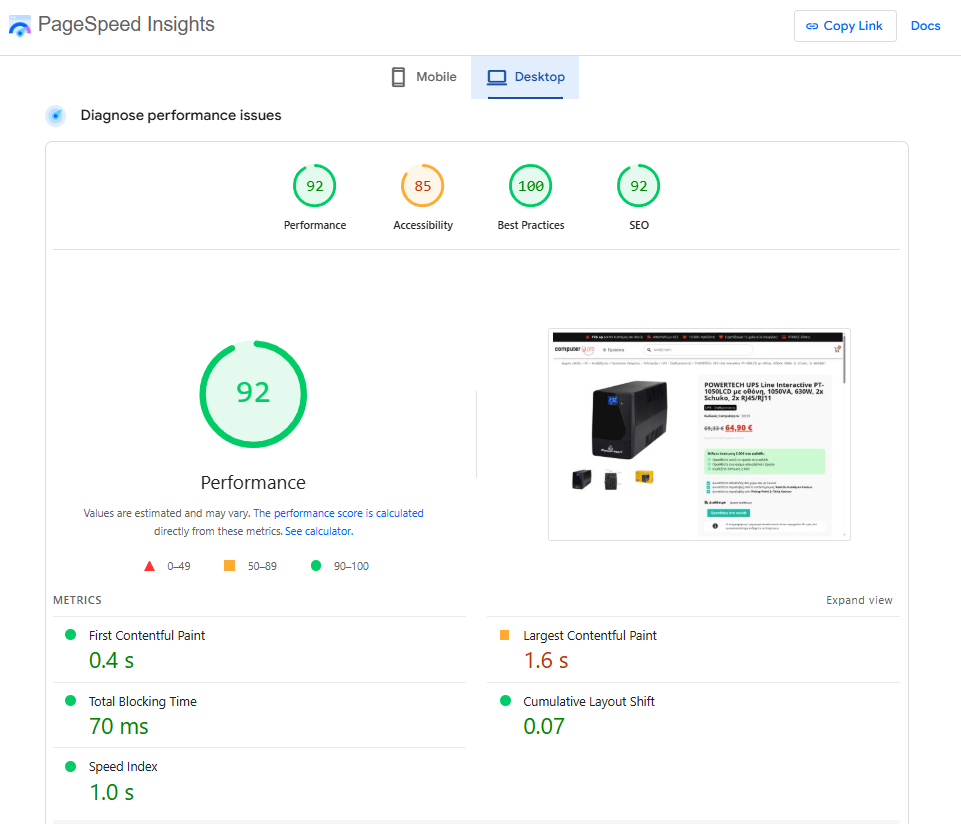
- Chasing the “perfect score” instead of a real experience. The figures help, but the aim is for the user to feel that everything is instant.
- Changes without a plan. If many interventions are done together, it is hard to know what actually helped.
- Excessive reliance on third parties. Every external widget is an extra risk and an extra load.
- Design without priorities. If everything is “top priority” (images, animations, sliders, pop-ups), then nothing is.
- Lack of maintenance. A website that is not checked regularly tends to become overloaded over time.
The key is to think of speed as a part of quality and strategy: not as a bug to be “fixed”, but as a criterion upon which your choices are built.
Conclusion: on the importance of speed on your website
The speed of your website is about much more than just “loading quickly”. It’s the overall experience: instant response, steady loading, smooth navigation, reliability. It’s what makes a website feel modern and polished.
👉 Find out more: How fast loading affects sales and SEO